Fire protection & sprinkler
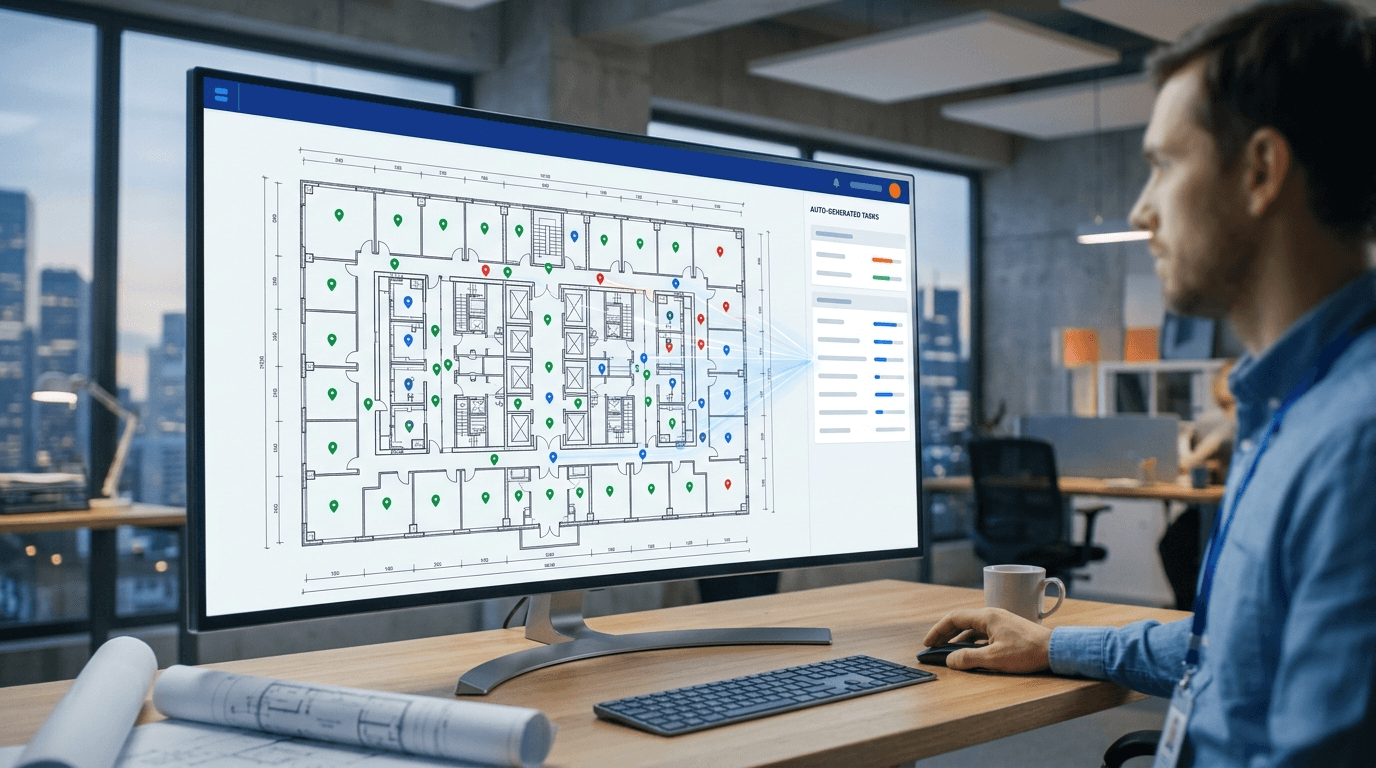
Sprinkler installation tracking from your CAD file
Every head on the drawing becomes a task. Crews mark complete on the shop plan—not on a separate punch list.
Built for fire protection and sprinkler subs who install from shop drawings on commercial jobs.
- Auto-generate sprinkler head tasks from Revit or shop drawings
- Field crews update status at each head location on the plan
- Live percent complete by floor for GC and office dashboards
- Flag leaks, clashes, and field issues in drawing context
FAQ for Fire protection & sprinkler
Common questions from specialty subcontractors.
- Does ClevBuild replace my fire protection estimating or design tools?
- No. ClevBuild tracks installation progress on shop drawings. Estimating, design, and submittals stay in your existing tools.
- Can I track multiple floors on one commercial job?
- Yes. Portfolio and floor-level views show install percent across large fit-outs and multi-floor buildings.
- How do sprinkler heads become tasks?
- The Revit plugin or drawing import places install points on the plan from your CAD data. Crews do not type heads in manually.
Ready to track fire protection & sprinkler installs?
Open the live demo or download the field app and Revit plugin.